
How Much RAM Do You Really Need for Gaming in 2025? You’re building a new PC or upgrading your old one. You’ve painstakingly researched the best GPU for your budget, debated CPU cores and clock speeds, and chosen a motherboard with all the right slots. Then you get to the memory aisle, and your eyes glaze over. 16GB, 32GB, 48GB, 64GB… DDR5, speeds, timings, CL-this, CL-that. The prices jump around, and the question hits you: How much RAM do I actually need?
It’s a deceptively simple question with an answer that’s evolving faster than ever. The old wisdom of “16GB is the sweet spot” is being challenged. The world of gaming in 2025 isn’t just about the game itself; it’s about the ecosystem running around it. It’s about future-proofing.
This guide will cut through the jargon and the marketing hype. We’ll explore what RAM actually does for a gamer, look at the real-world demands of modern and upcoming games, and help you decide on the perfect amount of memory for your rig—so you can spend your money wisely and game without a hitch.
Table of Contents

Part 1: The Blueprint Table – What RAM Actually Does in Your PC
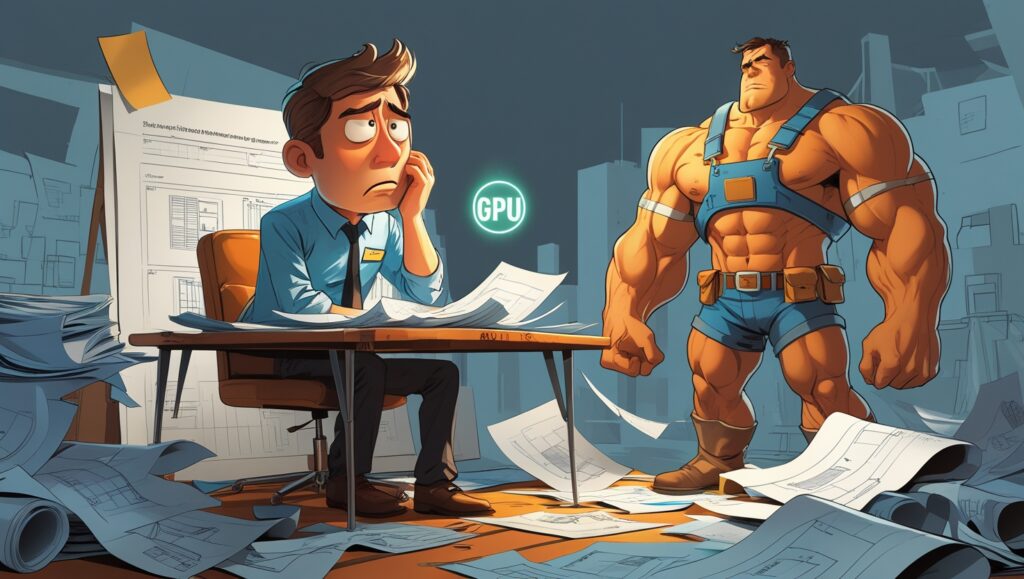
Before we talk numbers, let’s understand the role. If we continue our analogy from the CPU/GPU article, think of your PC as a massive construction project building a game world.
- The CPU (Central Processing Unit) is the Project Manager. It does all the thinking, makes the calculations, and gives the orders.
- The GPU (Graphics Processing Unit) is the Construction Crew. It’s responsible for the heavy lifting of building and rendering the stunning visuals you see on screen.
- Your Storage (SSD/HDD) is the Massive Warehouse District on the outskirts of town. This is where everything is stored long-term: your OS, game files, textures, everything.
So, where does RAM fit in?
RAM (Random Access Memory) is the Job Site’s Blueprint Table.
This is the most important concept to grasp. The Project Manager (CPU) cannot work efficiently if it has to run back to the warehouse district (Storage) every single time it needs a specific blueprint, a tool, or a piece of information. That trip takes far too long, even with a super-fast SSD.
Instead, at the start of a project, the CPU pulls all the crucial blueprints, tools, and materials it anticipates needing right now from the warehouse and lays them out on the big, organized blueprint table (RAM). Now, everything is within arm’s reach. The CPU can instantly grab any data it needs, dramatically speeding up the entire operation.
The key characteristics of this “Blueprint Table”:
- It’s Lightning Fast: RAM is orders of magnitude faster than even the best NVMe SSDs. Its entire purpose is to feed the CPU and GPU data at ludicrous speeds.
- It’s Temporary: The moment you turn off the power to the blueprint table (shut down your PC), everything on it vanishes. It only holds what’s actively being used.
- Size Matters: If your blueprint table is too small (not enough RAM), the Project Manager can’t fit all the necessary documents. It has to constantly run back to the warehouse, swapping out blueprints. This causes everything to slow down, resulting in stutters, frame drops, and interminable loading times. This is called “paging” or using “virtual memory.”
For gaming, the “blueprints” are things like:
- Game levels and environments
- High-resolution textures
- 3D models and character assets
- Audio files
- The game’s code itself
The bigger and more complex the game, the bigger the blueprints, and the larger the table you need.
Part 2: The State of Play – 16GB vs. 32GB in 2024 Heading into 2025
This is the heart of the debate. For years, 16GB of RAM has been the unquestioned sweet spot for gaming. But the sands are shifting.
The Case for 16GB: The Bare Minimum
For a vast number of games, if you only run the game and nothing else, 16GB of RAM is still technically sufficient. You can boot up popular esports titles like Valorant, League of Legends, or CS:GO and hit high frame rates without any issue.
However, “sufficient” is becoming the keyword. It’s the bare minimum for a focused gaming session. The moment you step into more modern, ambitious titles, the walls begin to close in.
- Modern Game Examples: Play a game like Cyberpunk 2077: Phantom Liberty with HD texture packs or Alan Wake 2 with all its cutting-edge technology, and you’ll see your total system RAM usage easily hover in the 14-15GB range. This leaves almost no headroom for anything else.
- The Background Process Problem: This is where 16GB truly shows its age. “Just the game” is a fantasy for most gamers. We have:
- Discord for communication
- A web browser with a few tabs open (for guides, music, YouTube)
- Spotify playing in the background
- Possibly a streaming app like OBS Studio running
- RGB control software for your peripherals
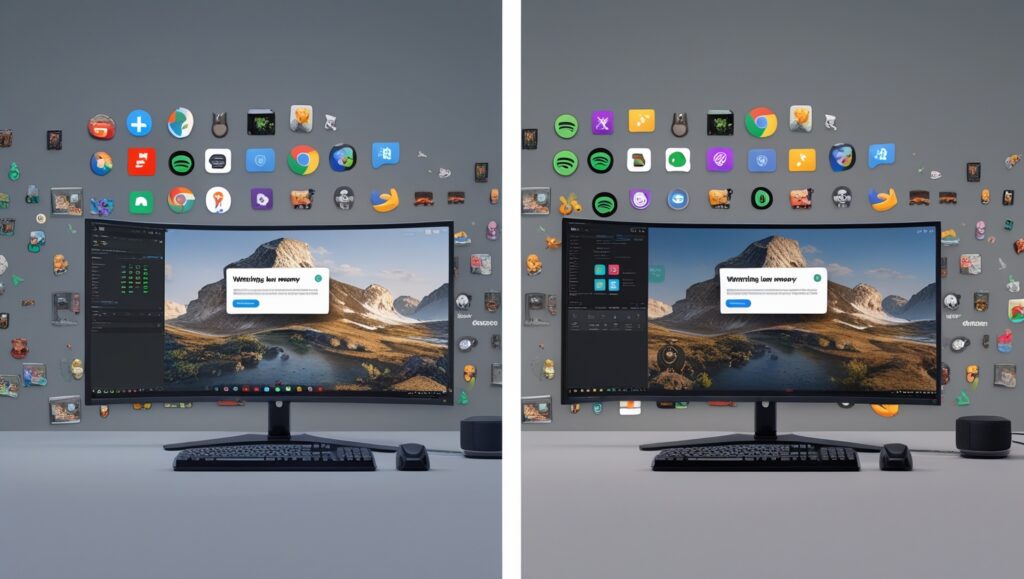
With all this running, your system might already be using 5-6GB of RAM before you even launch your game. Launch a demanding title, and you’re now flirting with maxing out your 16GB. When this happens, Windows is forced to start using your SSD as a makeshift “blueprint table” (a page file). Since an SSD is vastly slower than real RAM, this causes significant stuttering, hitching, and a general degradation of performance.
Verdict for 16GB: It’s becoming the new 8GB. It’s the absolute minimum we’d recommend for a budget-focused build in 2025, but it will likely struggle with multitasking and the most demanding new releases. You’ll be constantly managing background tasks to avoid performance issues.
The Case for 32GB: The New Sweet Spot
For anyone building a new mid-range to high-end PC in 2025, 32GB of DDR5 RAM is the unequivocal sweet spot. It’s the recommendation that offers the best balance of cost, performance, and future-proofing.
- Ample Headroom: With 32GB, a demanding game can use 16-18GB of RAM, and you’ll still have plenty of room for Discord, Chrome, Spotify, and whatever else you want running. There’s zero need to worry about closing applications.
- Eliminates Stutters: By providing massive headroom, you ensure your system never needs to use the slow page file on your SSD during gameplay. This results in a consistently smoother, more stable framerate, especially in open-world games that are constantly streaming in new data.
- Future-Proof: The trajectory of game development is clear. Games like Hogwarts Legacy and the upcoming GTA VI (based on its trailer and Rockstar’s history) are pushing boundaries and will likely recommend 32GB of RAM for an optimal experience. Investing in 32GB now means your system will be ready for these titles without needing an immediate upgrade.
- Beyond Gaming: If you do anything else on your PC—video editing, 3D rendering, running virtual machines, heavy programming—32GB is practically a requirement and will make those tasks infinitely smoother.
Verdict for 32GB: This is the gold standard. It provides a seamless, worry-free gaming and multitasking experience today and will comfortably handle the games of tomorrow. It should be the target for any new gaming PC.
Part 3: Looking to the Horizon – When Does 48GB or 64GB Make Sense?
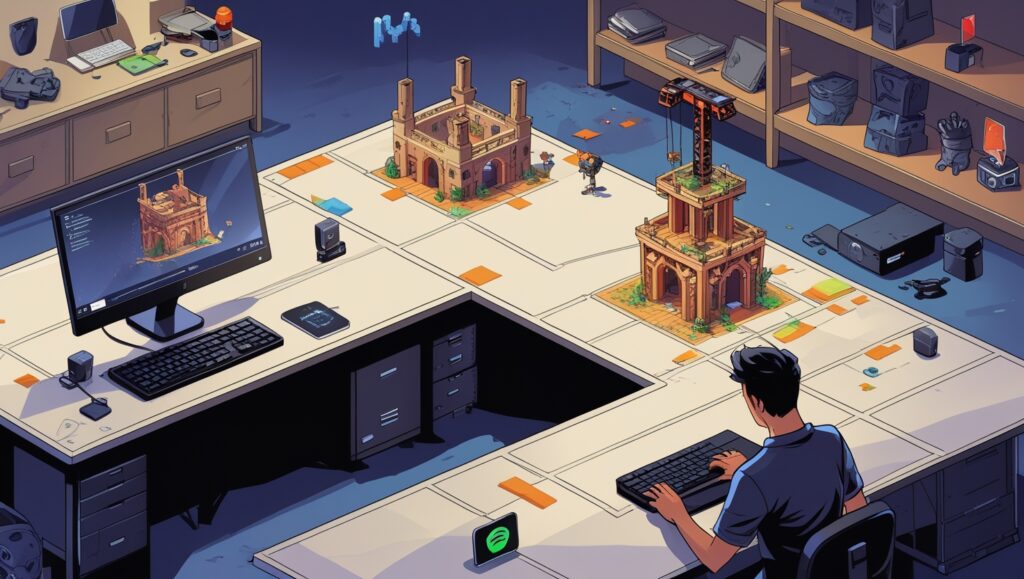
Welcome to the realm of the enthusiasts. For most pure gamers, amounts beyond 32GB are overkill today. But “overkill” doesn’t mean “useless.” There are specific use cases where these massive amounts become valuable.
The Curious Case of 48GB DDR5 Kits
With DDR5, a new, non-binary capacity has emerged: 24GB sticks. This allows for 48GB (2x24GB) and 96GB (4x24GB) configurations. This is a fascinating option for a specific user:
- The High-End Gamer Who Multitasks Heavily: Do you play a demanding simulator like Microsoft Flight Simulator 2024 while having Chrome with twenty tabs open, Discord, Spotify, and a streaming preview window all running simultaneously? 48GB is a fantastic “sweet spot plus” option that ensures you will never, under any circumstance, run out of memory. It’s a luxury, but it provides ultimate peace of mind.
- The Content Creator on a Budget: For someone who games but also edits videos or works with large images, 48GB can be a great middle ground between 32GB and 64GB, often at a attractive price point.
64GB and Above: The Enthusiast’s Playground
For the vast majority of gamers, 64GB is simply not necessary. However, it is justified for:
- Professional Content Creation: This is the primary audience. 4K/8K video editing, 3D animation, complex simulation software, and running multiple virtual machines will devour 32GB of RAM. For these users, 64GB is often the starting point, and 128GB+ is common.
- The Ultimate Future-Proofer: If you want to build a top-tier PC today and have absolutely zero thoughts about upgrading RAM for the next 5-7 years, 64GB is a way to guarantee that. While games won’t need it for some time, it’s a way to “set it and forget it.”
- Niche Gaming Scenarios: Heavily modded games (e.g., Cities: Skylines II with massive assets, Minecraft with immense shader and texture packs) can eventually push past 32GB of usage. For these players, 64GB is a legitimate performance upgrade.
Verdict for 48GB/64GB+: Don’t feel pressured into this for standard gaming. This is for hardcore multitaskers, professionals, modders, and those with unlimited budgets who want the absolute most.
Part 4: It’s Not Just Capacity – The Speed and Timing of DDR5
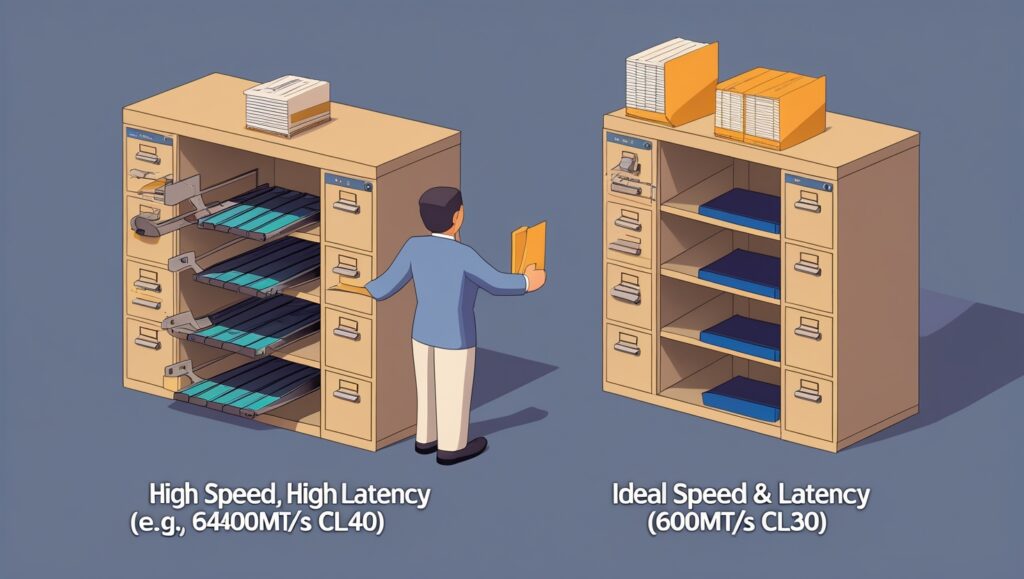
When you choose DDR5 RAM, the amount of gigabytes is only half the story. The other half is its speed, measured in Megatransfers per second (MT/s), often mistakenly called MHz (e.g., 6000MT/s is called “DDR5-6000”).
Think of it this way:
- Capacity (GB) is the size of your blueprint table.
- Speed (MT/s) is how quickly you can find and grab a specific blueprint from that table.
For DDR5, there is a real performance difference between speeds, especially for CPUs that are sensitive to memory performance (like AMD’s Ryzen 7000/8000 series with their “Zen 4” architecture).
- The New Sweet Spot: For DDR5, the performance-per-dollar sweet spot is currently around DDR5-6000.
- The AMD Key: For AMD Ryzen 7000/8000 series CPUs, pairing them with DDR5-6000 RAM that has CL30 latency (timings) is considered the ideal combo for unlocking the best performance from the CPU’s integrated memory controller (IMC).
- The Intel Note: Intel CPUs are generally less sensitive to RAM speed, but they still benefit from it. DDR5-6000 is also a great starting point for Intel builds.
While faster kits exist (DDR5-7200, DDR5-8000+), they offer diminishing returns for gaming and can be more expensive and harder to get stable. For 99% of gamers, a 32GB (2x16GB) kit of DDR5-6000 CL30 RAM is the perfect choice.
Part 5: Putting It All Together – Recommendations for Every Gamer
So, what should you buy? Here’s a breakdown based on user profiles.
1. The Budget-Conscious Gamer (1080p Gaming, Esports)
- Recommendation: 16GB (2x8GB) of DDR4 or DDR5.
- Reasoning: If every dollar counts, 16GB is still viable. Focus your budget on the best GPU and CPU you can afford. You may need to close background apps for the most demanding games, but you’ll be able to play most titles. *Note: For a new build in 2025, even a budget build should aim for DDR5 if possible, as the platform is future-proof.*
2. The Mainstream Gamer (The Sweet Spot – 1440p Gaming, High Refresh Rate)
- Recommendation: 32GB (2x16GB) of DDR5-6000 CL30.
- Reasoning: This is the no-compromise choice for anyone building a new PC. It eliminates bottlenecks, provides buttery-smooth performance with multitasking, and is fully prepared for all current and upcoming AAA titles for the foreseeable future. This should be your default choice.
3. The Enthusiast & High-End Gamer (4K Gaming, Max Settings, Heavy Multitasking)
- Recommendation: 32GB (2x16GB) of high-speed DDR5 (e.g., 6400-7200MT/s) or 48GB (2x24GB) of DDR5-6000/6400.
- Reasoning: You’re spending top dollar on an RTX 4080/4090 or RX 7900 XTX. Don’t cheap out on RAM. 32GB of a faster kit can squeeze out a few more percentage points of performance. Alternatively, 48GB is a fantastic luxury for those who never want to think about RAM usage again.
4. The Streamer & Content Creator (Gaming + Streaming/Editing on the Same PC)
- Recommendation: 32GB (Minimum), 48GB or 64GB (Ideal).
- Reasoning: Streaming software (OBS), video editing apps (Adobe Premiere), and having multiple applications open will consume RAM voraciously. 32GB is the bare minimum for this workflow, but 48GB or 64GB will provide a massively smoother and more efficient experience, preventing slowdowns and crashes during rendering.
Conclusion: Future-Proof Your Fun
RAM isn’t the most glamorous component, but it is the critical glue that holds your gaming experience together. While the GPU paints the picture and the CPU directs the show, RAM is the backstage crew that makes sure everything is in the right place at the right time.
As we look toward 2025, the clear trend is that games are becoming more complex, and our computing habits are becoming more demanding. The “just enough” mentality of 16GB is fading. 32GB of DDR5-6000 CL30 RAM is the new sweet spot, offering the perfect blend of performance, multitasking freedom, and future-proofing for a mainstream gaming PC.
Investing in the right amount of RAM is an investment in a seamless, stutter-free experience. It’s about ensuring that your powerful CPU and GPU can perform at their best without being held back by a cramped blueprint table. Choose wisely, and you’ll be set for years of incredible gaming.
FAQs
Q1: The article says 16GB is becoming the new minimum. Does that mean my current 16GB setup is suddenly obsolete?
- Not at all. “Obsolete” is a strong word. If you currently have a 16GB system, it is still perfectly capable of running the vast majority of games. The key idea is that it is now the baseline rather than the recommended sweet spot. You may need to be more mindful of closing background applications like Chrome tabs or Discord when launching the most demanding new AAA titles to avoid potential stuttering. For a new build in 2025, we recommend starting at 32GB to ensure headroom for future games and multitasking, but your existing 16GB kit is far from useless.
Q2: You mention DDR5 speeds like 6000MT/s and CL30. What do these numbers mean, and how big is the real-world performance difference for gaming?
- Speed (MT/s): This measures how many millions of data transfers the RAM can perform per second. Higher numbers mean the RAM can feed data to the CPU faster. Think of it as how quickly you can grab a blueprint from the table.
- Latency (CL – CAS Latency): This measures the delay (in clock cycles) between the CPU requesting data and the RAM delivering it. Lower numbers are better. Think of it as the short delay between you asking for a specific blueprint and your assistant starting to hand it to you.
- The Real-World Impact: For most games, the difference between a slow and a fast kit might only be a few percentage points in average FPS. However, the更大的 impact is often on 1% and 0.1% lows—the minimum framerates that cause stuttering. A well-matched kit (like DDR5-6000 CL30 for AMD Ryzen 7000/8000) ensures a smoother, more consistent experience. The difference isn’t night and day, but it’s a worthwhile optimization for a new build.
Q3: I see 48GB (2x24GB) kits. Is mixing this with my old 16GB (2x8GB) kit a good idea to get 64GB?
- This is strongly not recommended. Mixing RAM kits of different capacities, speeds, brands, or even timings can cause instability, boot failures, and performance issues. Even if they are the same brand and advertised speed, their underlying components (memory chips) might be different. The system will run all RAM at the speed and timings of the slowest kit, and you may lose dual-channel performance benefits. For a reliable system, always buy a matched kit that comes in the same package (e.g., a 2x16GB kit or a 2x24GB kit).
Q4: The article focuses on gaming. I also stream with OBS and have a few tabs open. Why is 32GB so much better for this?
- Streaming is a multi-tasking powerhouse that places unique demands on your system:
- OBS/XSplit: The streaming software itself uses RAM to composite your scene (game capture, webcam feed, overlays, alerts) and encode the video stream.
- Game: The modern game you’re playing is already using 12-18GB of RAM by itself.
- Browser: Browser tabs, especially those with video players (like Twitch chat or a music video), are notorious RAM hogs.
- Other Apps: Discord, Spotify, RGB control software, and others all consume memory.
With 16GB, all these processes are fighting for limited space. When RAM is full, Windows starts using the page file on your SSD, which is much slower and causes encoding stutters in your stream and gameplay hitches. 32GB provides ample space for everything to run smoothly simultaneously.
Q5: What is the difference between DDR4 and DDR5? Should I even consider DDR4 for a new build in 2025?
- DDR5 is the newer generation, offering:
- Higher Speeds: Starts where high-end DDR4 left off (4800MT/s is base, with 6000-7200+ being common).
- Higher Capacity per Module: Makes higher-capacity kits (like 48GB, 64GB) easier and cheaper to achieve.
- Integrated Power Management: Moves the power management from the motherboard to the RAM module itself for better signal integrity and stability.
- On-Die ECC: Includes basic error correction for better stability at high speeds.
- For a new build in 2025, DDR5 is the unequivocal choice. The price difference between DDR4 and DDR5 platforms (motherboard and RAM) has narrowed significantly. DDR5 offers better future-proofing, higher performance, and is the standard for all new CPU platforms (AMD AM5 and Intel LGA 1700/1851). You should only consider DDR4 if you are building an ultra-budget PC using an older-generation CPU and motherboard.
Q6: How does RAM affect open-world games and loading times compared to an SSD?
- RAM and an SSD work together but serve different purposes in this context:
- SSD (Warehouse): Determines how quickly the game’s assets (textures, models) can be transferred from long-term storage into the RAM. A faster SSD means shorter initial loading screens.
- RAM (Blueprint Table): Determines how much of the game world can be pre-loaded and kept ready for instant access. In a massive open-world game, with sufficient RAM, the game can load the assets for the entire region you’re in and the next one over. If you have insufficient RAM, the game must constantly swap assets back and forth from the SSD as you move, causing pop-in (textures/objects loading late) and stuttering as the data stream can’t keep up. So, while an SSD gets data into RAM fast, having enough RAM is what prevents the need for constant loading during gameplay.
Q7: Is there a noticeable difference between single-rank and dual-rank RAM modules?
- Yes, there can be a performance difference, though it’s secondary to capacity and speed.
- Dual-Rank modules can be thought of as having two “banks” of memory chips that the memory controller can address alternately. This allows for small efficiency gains and can lead to a modest performance increase (typically a few percent) compared to Single-Rank modules, all else being equal.
- For most buyers, this is not something to actively worry about. It’s a finer detail that enthusiasts optimize for. Focus first on getting the right capacity (32GB) and speed (DDR5-6000), and consider rank a minor bonus if you’re comparing two otherwise identical kits.
Q8: I’m on a tight upgrade path. Should I upgrade my RAM or my SSD first?
- This depends entirely on the symptoms you’re experiencing:
- Upgrade your RAM if: You experience stuttering and frame drops during gameplay, especially when new areas load or when you have other applications open. Your Task Manager shows RAM usage is consistently at or near 100% while gaming.
- Upgrade your SSD if: Your initial game loading screens and boot times are very long, and you are still using an old Hard Disk Drive (HDD) or a very slow SATA SSD. If you’re already on a decent NVMe SSD, upgrading to a faster one will have a much smaller impact on gaming performance than a RAM upgrade would.
For most modern gaming PCs struggling with performance, moving from 16GB to 32GB of RAM will provide a more noticeable improvement in smoothness than moving from a good NVMe SSD to a great one.
Q9: The article mentions “1% and 0.1% lows.” What does that mean, and why is it more important than average FPS?
- Average FPS is exactly what it sounds like: the average number of frames per second over a period of time.
- 1% and 0.1% Lows are different. They represent the worst framerates you experience during the most demanding 1% or 0.1% of frames. These are the moments when the game hitches or stutters.
- Why it’s important: A game could have a high average FPS of 120 but have very low 1% lows of 40 FPS. This would feel very stuttery and unpleasant. Another game might have a lower average FPS of 100 but have high 1% lows of 80 FPS. This second game would feel incredibly smooth and consistent. Having sufficient, fast RAM is a key factor in improving these lows and ensuring a smooth experience.
Q10: If I have 4 RAM slots, is it better to use 2 sticks or 4 sticks?
- For most users, using 2 sticks (two modules) is the preferred and more reliable configuration.
- Running 2 sticks places less stress on the CPU’s memory controller (IMC), making it easier to achieve the rated speeds (like DDR5-6000) and stability. This is especially true for DDR5, which can be finicky at high speeds.
- Using 4 sticks can sometimes enable dual-rank performance benefits (as mentioned in Q7), but it also makes it much harder to run the RAM at its maximum rated speed. You may have to lower the speed or increase timings to achieve stability. Unless you need the massive capacity of 4 sticks (e.g., 128GB), a 2-stick kit is the simpler, more performant, and more stable choice.